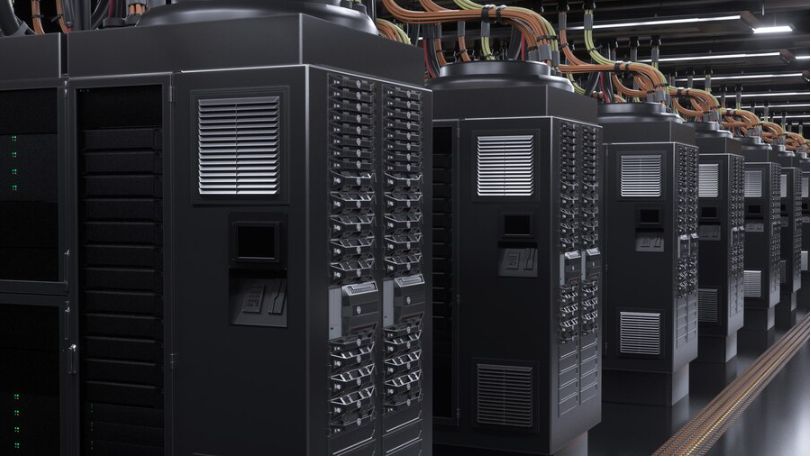
Every modern business runs on data. It’s the lifeblood of operations, customer interactions, and strategic decision-making. But data is vulnerable. From cyberattacks like ransomware to natural disasters and simple human error, threats to your digital assets are everywhere. When disaster strikes, the speed and reliability of your recovery can determine whether your business survives or falters.
This is where Network Attached Storage (NAS) steps in. While often viewed simply as a way to share files across a network, NAS storage has evolved into a cornerstone of robust disaster recovery strategies. It offers the perfect blend of accessibility, scalability, and performance required to get critical systems back online fast.
In this guide, we will explore why traditional backup methods are no longer sufficient and how modern NAS solutions provide the resilience enterprises need to weather any storm.
The High Cost of Downtime
Before understanding the solution, it is crucial to understand the problem. Downtime is expensive. According to recent industry reports, the cost of IT downtime can reach thousands of dollars per minute for large enterprises. But the damage isn’t just financial.
Prolonged outages erode customer trust. If clients cannot access your services or if their sensitive data is compromised, they will likely move to a competitor. Furthermore, regulatory compliance often mandates strict data availability standards. Failing to meet Recovery Time Objectives (RTO) and Recovery Point Objectives (RPO) can lead to hefty legal fines.
Traditional backup solutions, such as tape drives or basic external hard drives, often fail to meet the rigorous demands of the modern "always-on" business environment. They can be slow to restore, difficult to manage, and prone to physical failure. Modern enterprises need a NAS storage solution that acts as a rapid response team for their data.
Why NAS Storage is Built for Recovery
NAS storage is a dedicated file storage server connected to a network that allows multiple users and heterogeneous client devices to retrieve data from a centralized disk capacity. But beyond simple file sharing, its architecture is uniquely suited for disaster recovery for several key reasons.
Rapid Data Restoration
Speed is the critical metric in disaster recovery. When a server fails, you cannot afford to wait days for data to be retrieved from cold storage or a slow cloud connection. NAS solutions reside on your local network (LAN), offering high-speed data transfer rates. This allows IT teams to restore large datasets, virtual machine images, and critical applications in minutes rather than hours.
Snapshot Technology
One of the most powerful features of modern NAS systems is snapshot technology. Snapshots create a point-in-time copy of your file system. Unlike full backups that can take hours to complete, snapshots are virtually instantaneous and take up very little space initially.
If a file is accidentally deleted or corrupted by ransomware, an administrator can simply "roll back" the system to a previous snapshot from an hour or a day ago. This provides a granular level of protection that keeps data loss to an absolute minimum.
RAID Protection
Most enterprise-grade NAS devices utilize RAID (Redundant Array of Independent Disks). This technology spreads data across multiple hard drives. If one drive fails, the system can continue to operate without data loss, and the defective drive can be replaced without shutting down the system. This built-in redundancy ensures that your backup target is resilient itself, adding an extra layer of security to your disaster recovery plan.
Integrating NAS into a 3-2-1 Backup Strategy
No discussion on disaster recovery is complete without mentioning the golden rule of backups: the 3-2-1 strategy. This rule states that you should keep:
3 copies of your data.
2 different types of media.
1 copy offsite.
NAS storage is the perfect candidate for the "on-site" portion of this strategy. Here is how it fits into the workflow:
Production Data: Your live data resides on your main servers or workstations.
Local Backup (NAS): You perform frequent, automated backups to your local NAS. This serves as your first line of defense for quick recovery from common issues like file deletion or minor hardware failure.
Offsite Replication: Modern NAS solutions can automatically replicate data to a secondary NAS located at a different physical site or push encrypted backups to a public cloud provider (like AWS, Azure, or Google Cloud). This satisfies the "offsite" requirement, protecting you against catastrophic events like fires or floods that could destroy your physical office.
Advanced Features of Modern NAS Solutions
The capabilities of NAS have expanded significantly in recent years. Today's devices are powerful servers in their own right, equipped with features designed specifically to combat modern threats.
Ransomware Protection
Ransomware attacks are growing in sophistication, often targeting backup files to prevent recovery. Leading NAS providers now offer immutable snapshots—backups that cannot be modified or deleted for a set period, even by an admin user. If attackers encrypt your live data, you can restore from an immutable snapshot that they were unable to touch.
Virtualization Support
For businesses running virtual machines (VMs), NAS is invaluable. Many NAS devices are certified for virtualization environments like VMware and Hyper-V. In a disaster scenario, some high-end NAS units allow you to mount and run a backup image of a VM directly on the NAS hardware itself. This capability, known as "instant recovery," allows operations to continue while the primary server is being repaired.
Deduplication and Compression
Backing up data daily consumes massive amounts of storage space. Modern NAS solutions utilize data deduplication and compression to reduce the size of backups. Deduplication eliminates redundant copies of data, storing only unique blocks. This maximizes your storage investment and allows you to retain more historical backup points for longer
Choosing the Right NAS for Your Business
Not all NAS devices are created equal. When selecting a solution for disaster recovery, consider these factors:
Scalability: Data growth is inevitable. Look for a system that allows you to add expansion units or larger drives easily without disrupting operations.
Performance: Ensure the device has sufficient CPU and RAM to handle your backup windows and concurrent user access. 10GbE (10 Gigabit Ethernet) connectivity is recommended for faster transfer speeds.
Software Ecosystem: The hardware is only half the equation. Evaluate the backup software included with the NAS. Is it user-friendly? Does it support your operating systems? Does it offer easy cloud integration?
Resilience is a Choice
Disaster recovery is not about if a failure will occur, but when. Relying on outdated backup methods is a gamble that modern enterprises cannot afford to take.
By implementing robust NAS storage, businesses gain a fast, reliable, and scalable safety net. Whether it is recovering a single spreadsheet or restoring an entire server environment, NAS provides the tools necessary to minimize downtime and protect your bottom line. It transforms disaster recovery from a frantic emergency into a manageable, routine process.
Don't wait for a crisis to test your resilience. Evaluate your backup infrastructure today and see how a modern NAS solution can secure your business's future.